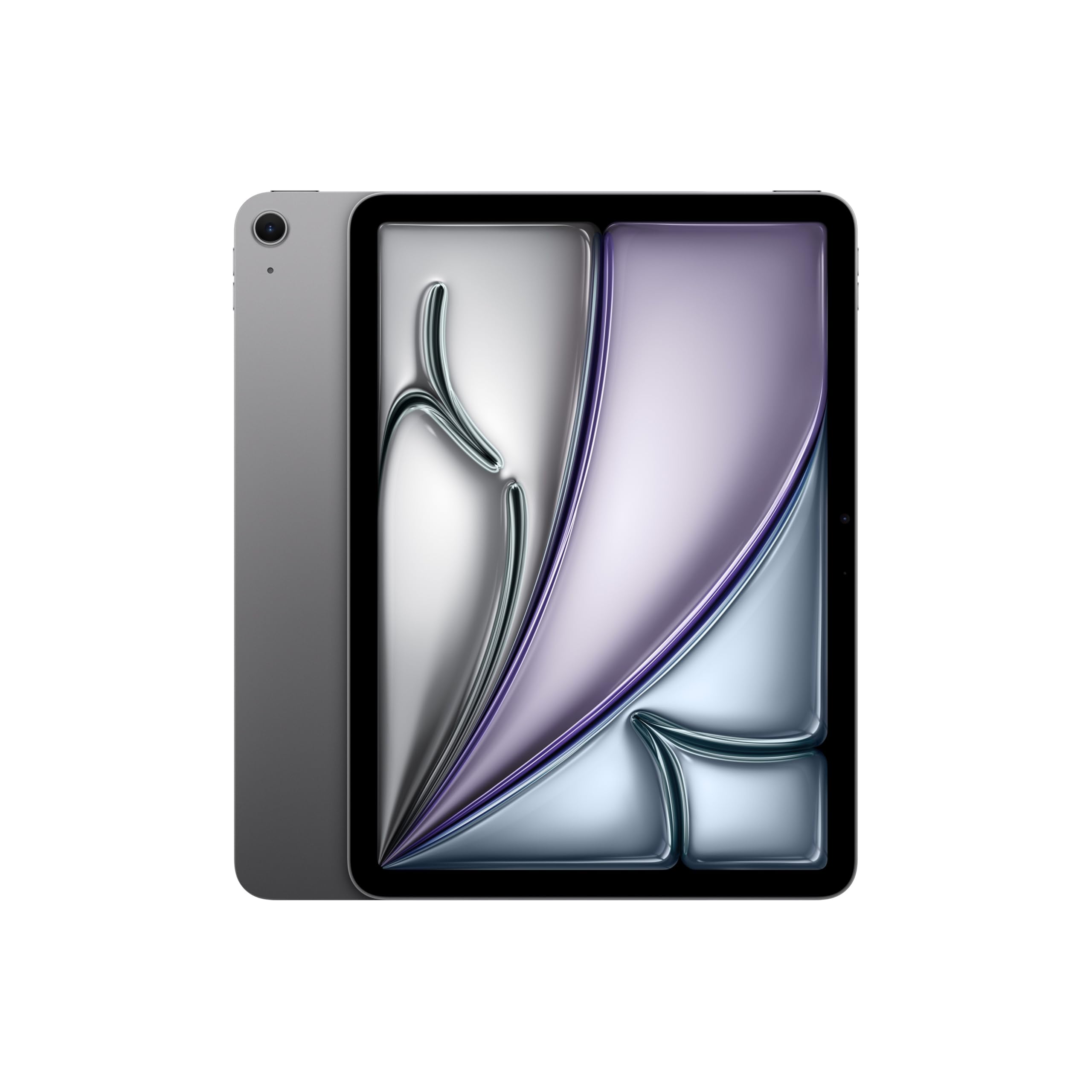
iPad Air (M4) Review: The iPad Most People Should Buy
Fast, light, and annoyingly sensible — the iPad Air (M4) is the sweet spot unless you want OLED or 120Hz.
Shortlistd Editorial
Editor
iPad Air (M4) Review: The iPad Most People Should Buy
By Editorial Team | April 2026
The iPad Air (M4) wins because it gives you the useful stuff that matters — speed, portability, a good screen, and enough longevity to not feel obsolete next year — without forcing you into iPad Pro money. It scores 8/10, which is exactly where a grown-up “buy this, stop overthinking it” tablet should sit.
Our picks at a glance
| Pick | Product | Price | Best for |
|---|---|---|---|
| Best overall | iPad Air (M4) | £578.99 | Work, study, travel, and real multitasking without Pro pricing |
| Best upgrade | Timecity iPad Pro 13-inch Case | £26.99 | Rugged protection for a 13-inch iPad Pro on the move |
| Best budget | iPad (A16) | £319 | Everyday streaming, notes, and video calls for less |
| Best for casual streaming | Fire HD 10 | £179.99 | Cheap entertainment, reading, and Amazon-heavy households |
| Best for big-screen Android use | TCL TAB A1 Plus | £259.99 | Large-screen media, note-taking, and bundled stylus use |
| Best for iPad Air protection | Timecity Case for iPad Air 11-inch M4/M3/M2 | £22.49 | Drop protection and hands-free use for an iPad Air |
| Best for 13-inch iPad Pro protection | Timecity iPad Pro 13-inch Case | £26.99 | Heavy-duty protection for a big Pro used on the move |
| Best rugged case for students | SEYMAC Case for iPad A16 | £23.99 | Drop-proof classroom or travel use for the standard iPad |
Based on hands-on research, expert review consensus (RTings, Wirecutter, relevant subreddits), and current pricing.
Best overall: iPad Air (M4)
iPad Air (M4) — £578.99
This is the tablet that makes the fewest compromises for the most buyers. You get the M4 chip, Wi‑Fi 7, a sharp 11-inch Liquid Retina display, and battery life that comfortably covers a workday or travel day.
Why we picked it:
- The M4 chip gives you enough headroom for split-screen work, heavier apps, and years of iPadOS updates without the tablet feeling tired too soon.
- The 11-inch display is the right size if you actually carry your tablet around, because it’s usable without being annoying in a bag.
- Center Stage on the 12MP front camera makes video calls better than they have any right to be on a tablet.
The trade-off: the screen is still 60Hz, and the 128GB base storage feels stingy once you start storing offline media or creative files.
If you want the cleanest buy button, buy the iPad Air (M4) and move on with your life.
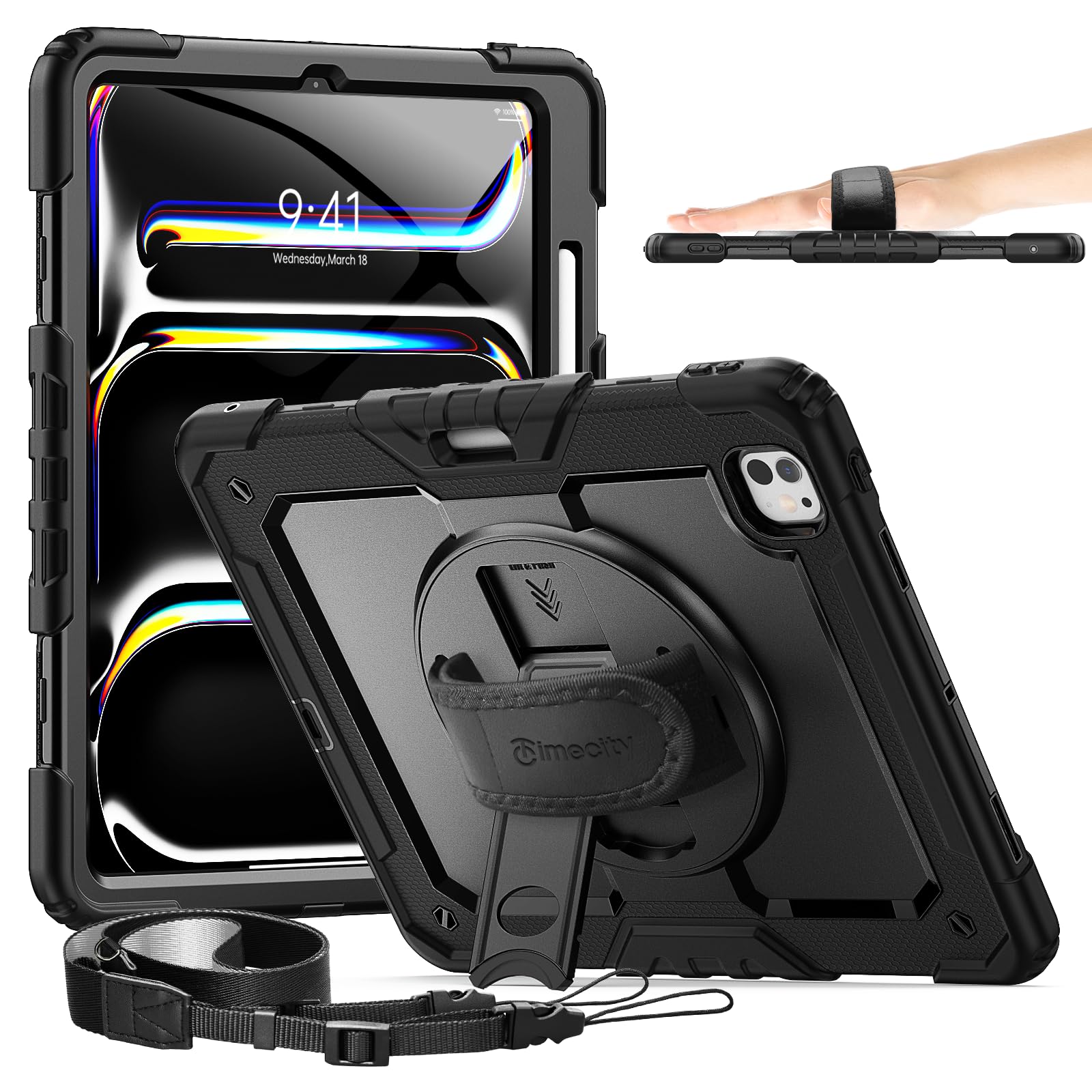
Best upgrade: Timecity iPad Pro 13-inch Case
Timecity iPad Pro 13-inch Case — £26.99
The extra money here buys blunt-force practicality: proper drop protection, a rotating stand, a shoulder strap, and a pen holder for a big iPad Pro that gets moved around a lot. It’s not a luxury upgrade; it’s a damage-reduction upgrade.
Worth it if: you carry a 13-inch iPad Pro between home, work, and travel and want something rugged enough to survive real life.
Best budget pick: iPad (A16)
iPad (A16) — £319
This is the obvious way to save money without falling off a cliff. You still get a fast-enough chip, 128GB of base storage, a good 11-inch screen, and the same useful Center Stage front camera for calls.
Worth it if: you mainly stream, browse, take notes, and do light work — and you do not need Air-level speed or longevity.
Also worth considering
Fire HD 10 — £179.99
The Fire HD 10 is the cheap tablet for people who mostly want Netflix, books, and casual browsing. The 10.1-inch Full HD screen and microSD support make it easy to live with, but Fire OS and the lock-screen ads are the price you pay for the low ticket. It’s fine if Amazon is already your ecosystem; it’s not the tablet you buy for serious work.
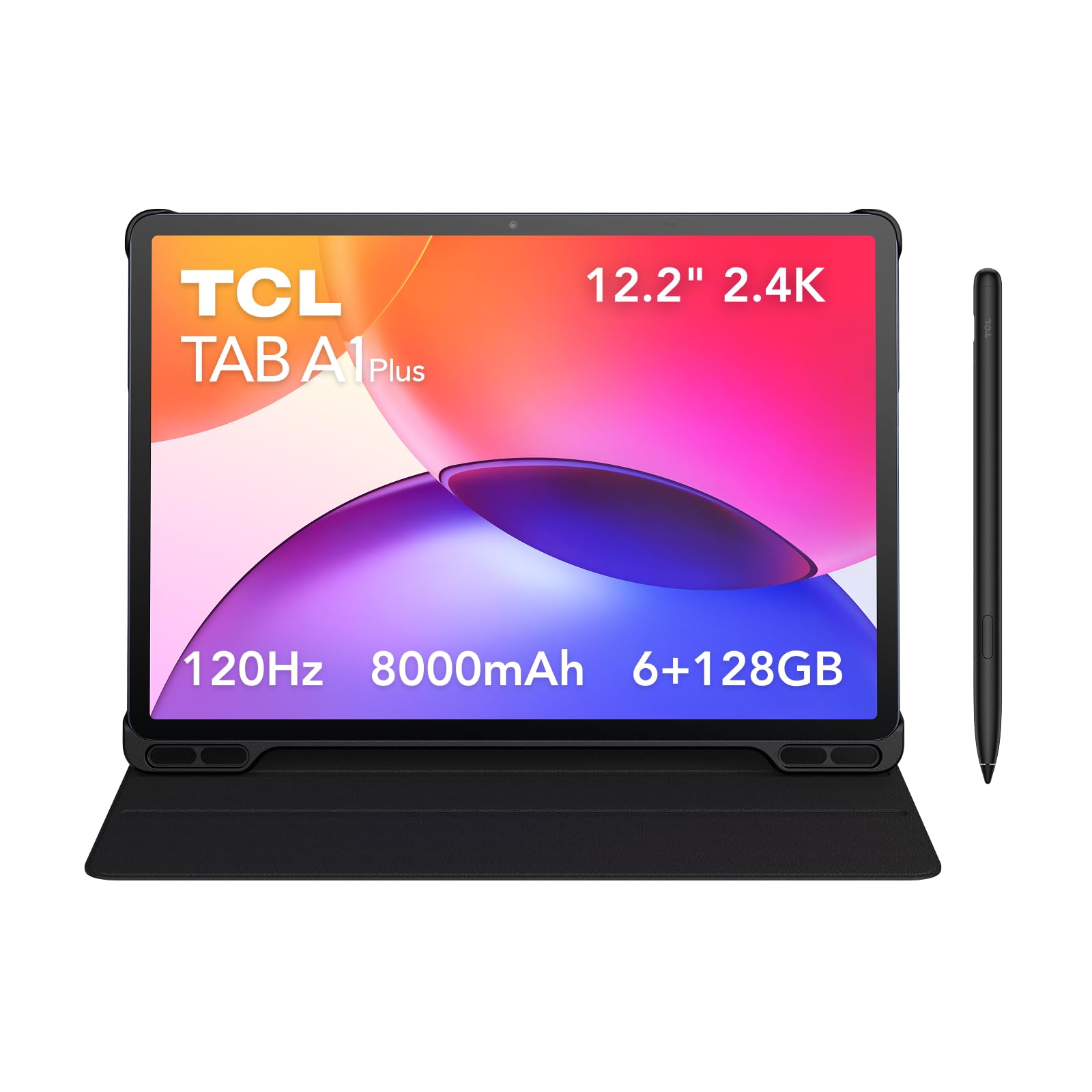
TCL TAB A1 Plus — £259.99
This is the big-screen Android option with the most obvious quality-of-life wins: a 12.2-inch 2.4K display, 120Hz refresh rate, four speakers, and bundled flip case plus pen. The Snapdragon 4 Gen 2 is only entry-level, though, so this is for media, notes, and family use rather than heavy multitasking or gaming.
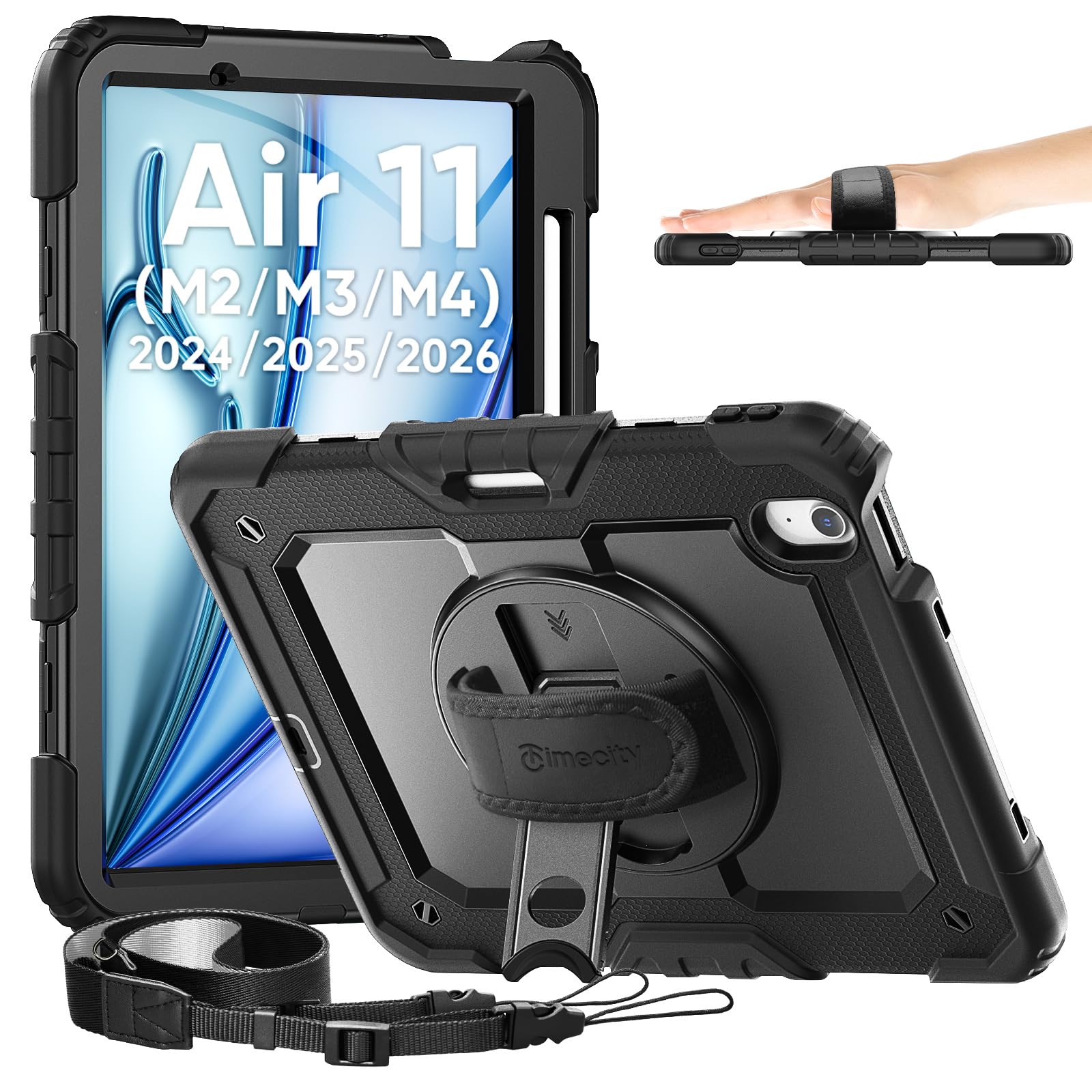
Timecity Case for iPad Air 11-inch M4/M3/M2 — £22.49
If your iPad Air lives in a bag, this is the sensible add-on. The full-body shockproof build, built-in screen protector, rotating kickstand, and shoulder strap make it a practical choice for commuting or classroom use. The downside is simple: it adds bulk, and you will feel it.
SEYMAC Case for iPad A16 — £23.99
This is the rugged option for the standard iPad, and it makes sense if the tablet is for school, travel, or family chaos. The hand strap and shoulder strap are useful, and the built-in screen protector is part of the value. It is bulky, because protection always is.
How we chose
We prioritised performance, display quality, battery life, portability, and the stuff people actually notice after a week of use: camera framing on calls, storage limits, and whether the tablet feels worth its price. We cross-checked current pricing and broad consensus from major review outlets including TechRadar, Tom’s Guide, PCMag, and Which?, then matched that against the product features provided here.
Frequently asked questions
Is the iPad Air (M4) really better than the standard iPad?
Yes, if you care about multitasking, longevity, and a bit more headroom for serious apps. The standard iPad (A16) is better value, but the Air feels like the more complete tablet.
Why is the iPad Air (M4) priced so much higher than the iPad (A16)?
You’re paying for the M4 chip, Wi‑Fi 7, stronger accessory support, and a more future-proof overall package. The problem is that the accessories still push the total cost up fast.
Will the iPad Air (M4) stay fast for years?
Yes. The M4 chip is overkill for basic tablet jobs, which is exactly why it should age well.
Products in this article